This page describes how you can redeem Ripple USD (RLUSD) for USD fiat currency.
For an overview of the redemption process, see RLUSD redemption.
To follow this guide:
- You must already have Ripple USD currency in your nominated wallet(s).
- Ensure you have sufficient XRP or ETH in your wallet(s) to cover the network fees required for redemptions.
To successfully redeem Ripple USD for fiat USD, you need to be aware of the following:
You must send funds to the correct Ripple wallet address. Sending Ripple USD to the wrong wallet may lead to permanent loss of funds.
Only send Ripple USD stablecoin to the provided Ripple wallet address. Sending any other token to the wallet may result in funds being lost forever.
If you are sending RLUSD on the XRPL Ledger from an omnibus account, you must include a destination tag on the transfer request.
Redemptions are processed in real-time, but the actual fiat settlement time may vary depending on your bank.
To display instructions for redeeming Ripple USD for fiat USD:
- Go to the Stablecoin dashboard.
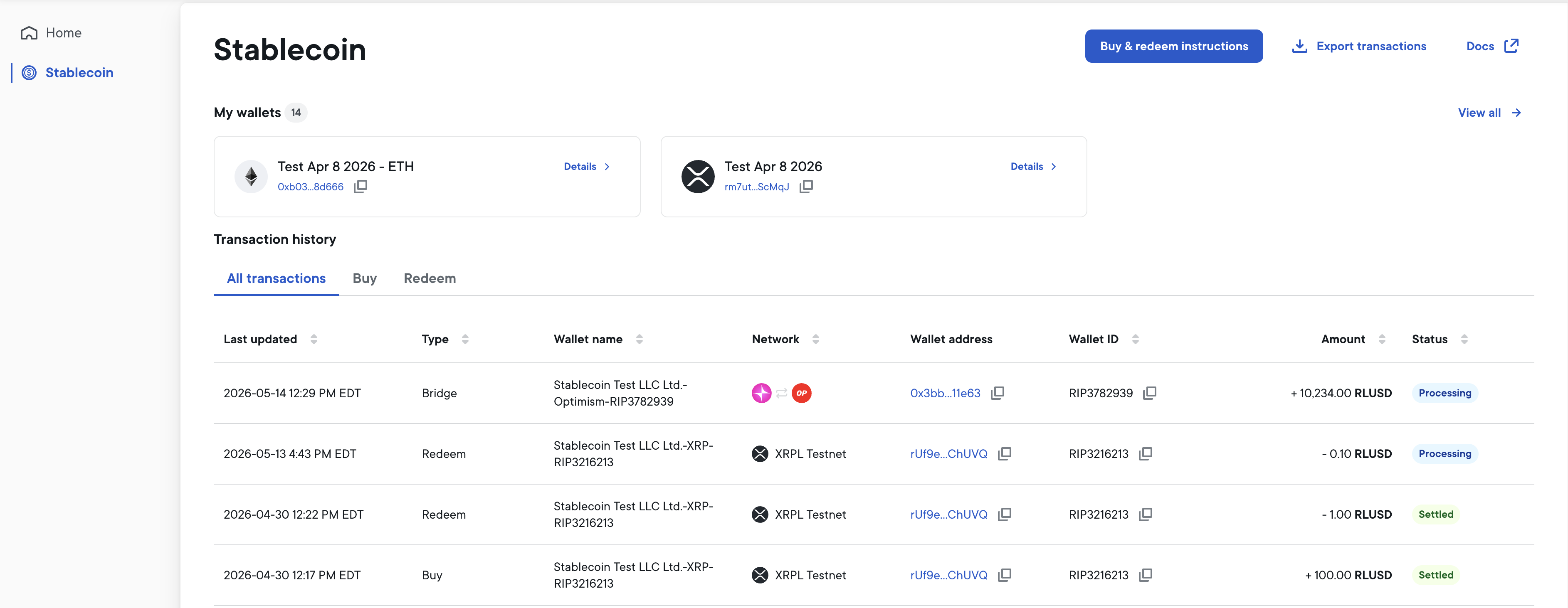
- At the top right of the Stablecoin dashboard, select Buy & redeem instructions.
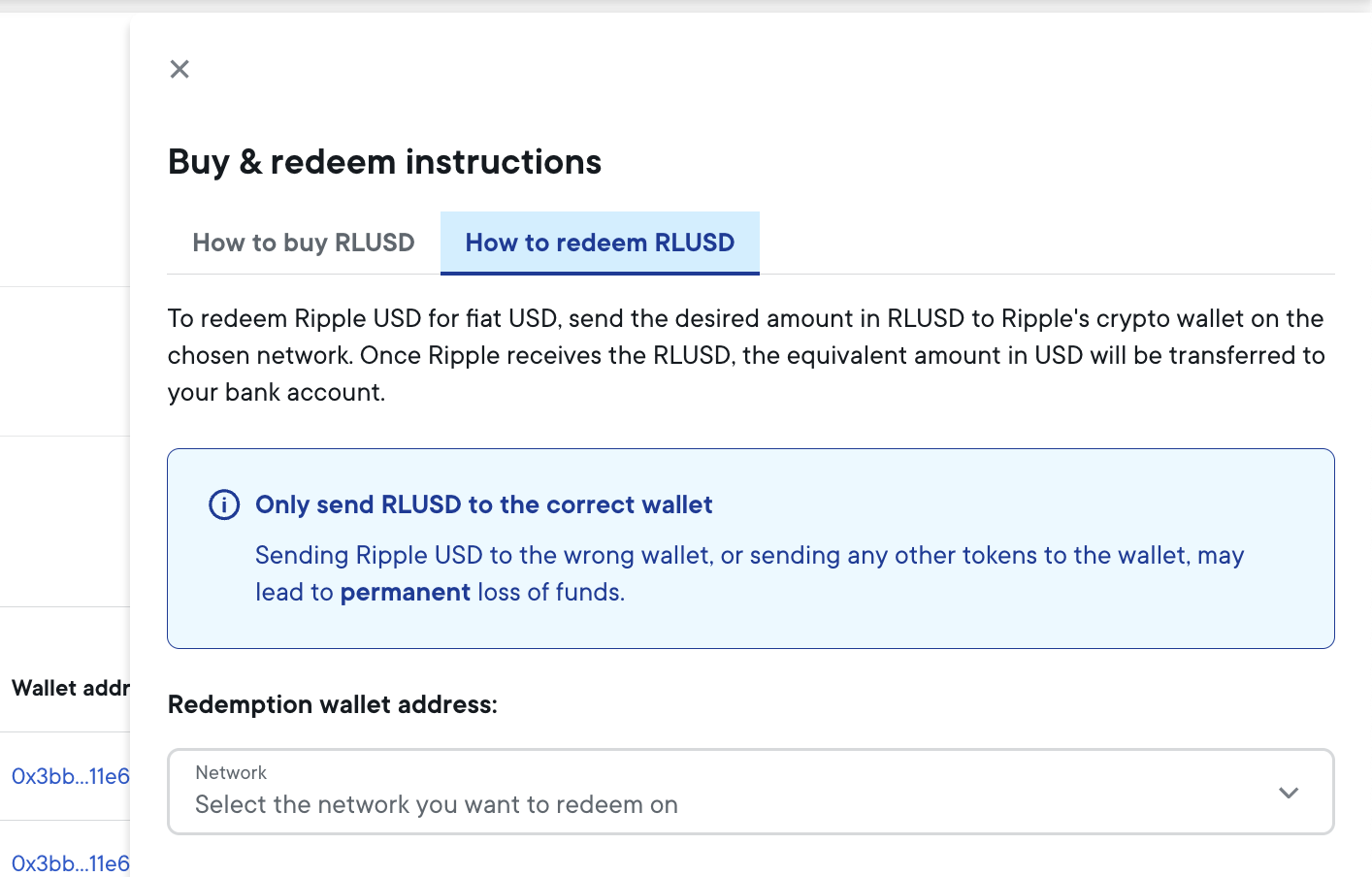
- Select the How to redeem RLUSD tab.
- Follow the instructions displayed to redeem Ripple USD.
By default, inbound RLUSD is redeemed to fiat automatically. With flexible redemption enabled, inbound RLUSD is instead held in a Pending state for up to 3 hours, giving you time to direct each transfer yourself — either redeem it to fiat or bridge it to one of your crypto wallets on another chain.
To enable flexible redemption, use the Ripple Mint UI:
- Log in to the Ripple Mint UI as an Admin user.
- Click the Settings gear icon in the top-right corner of the page.
- Under Stablecoin, click Manage settings.
- Toggle Enable flexible redeem to On.
Once enabled, the Stablecoin dashboard displays the list of Open redemptions (if any) above the Transaction history.
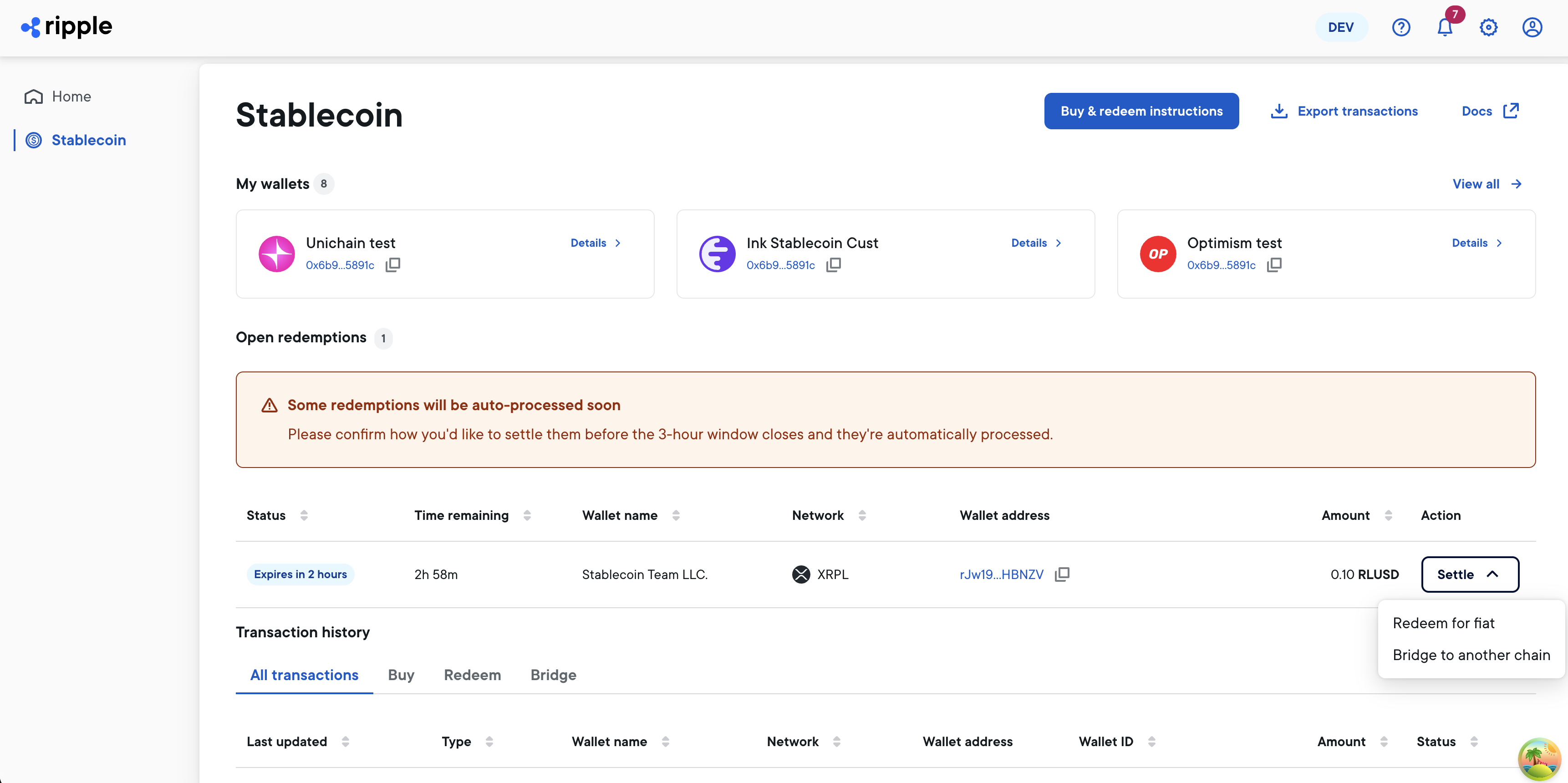
If you do nothing, the inbound RLUSD is redeemed to fiat automatically after the 3-hour window. The amount of time remaining before the window expires is displayed in the Status column.
To redeem the RLUSD to fiat immediately (rather than waiting for the 3-hour window):
- In the Action column, use the Settle dropdown menu to select Redeem for fiat. This asks you to confirm the redemption.
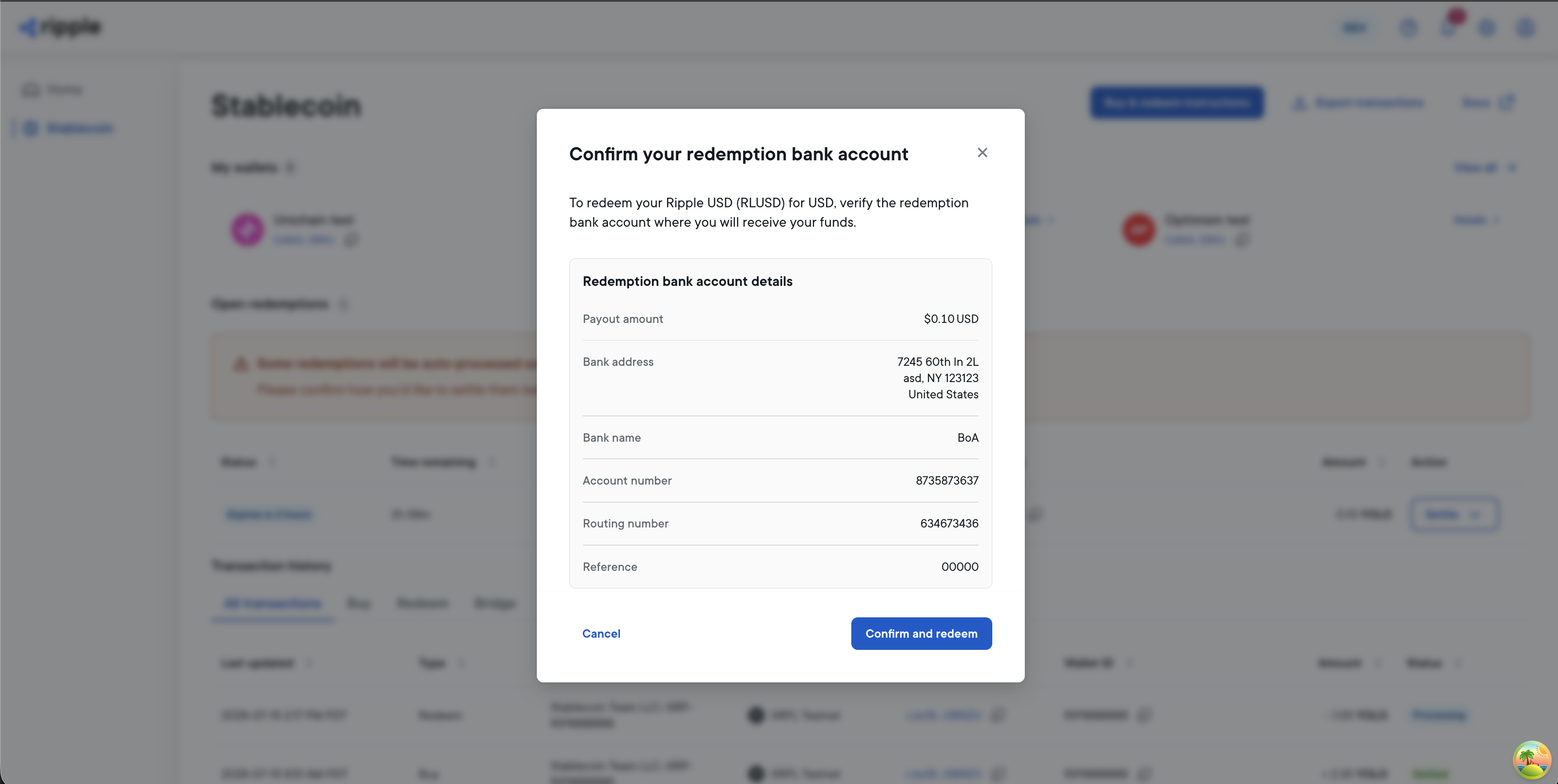
- To confirm the redemption, select Confirm and redeem.
You can also bridge the pending RLUSD to a crypto wallet on another chain instead of redeeming it for fiat. See Bridge RLUSD.