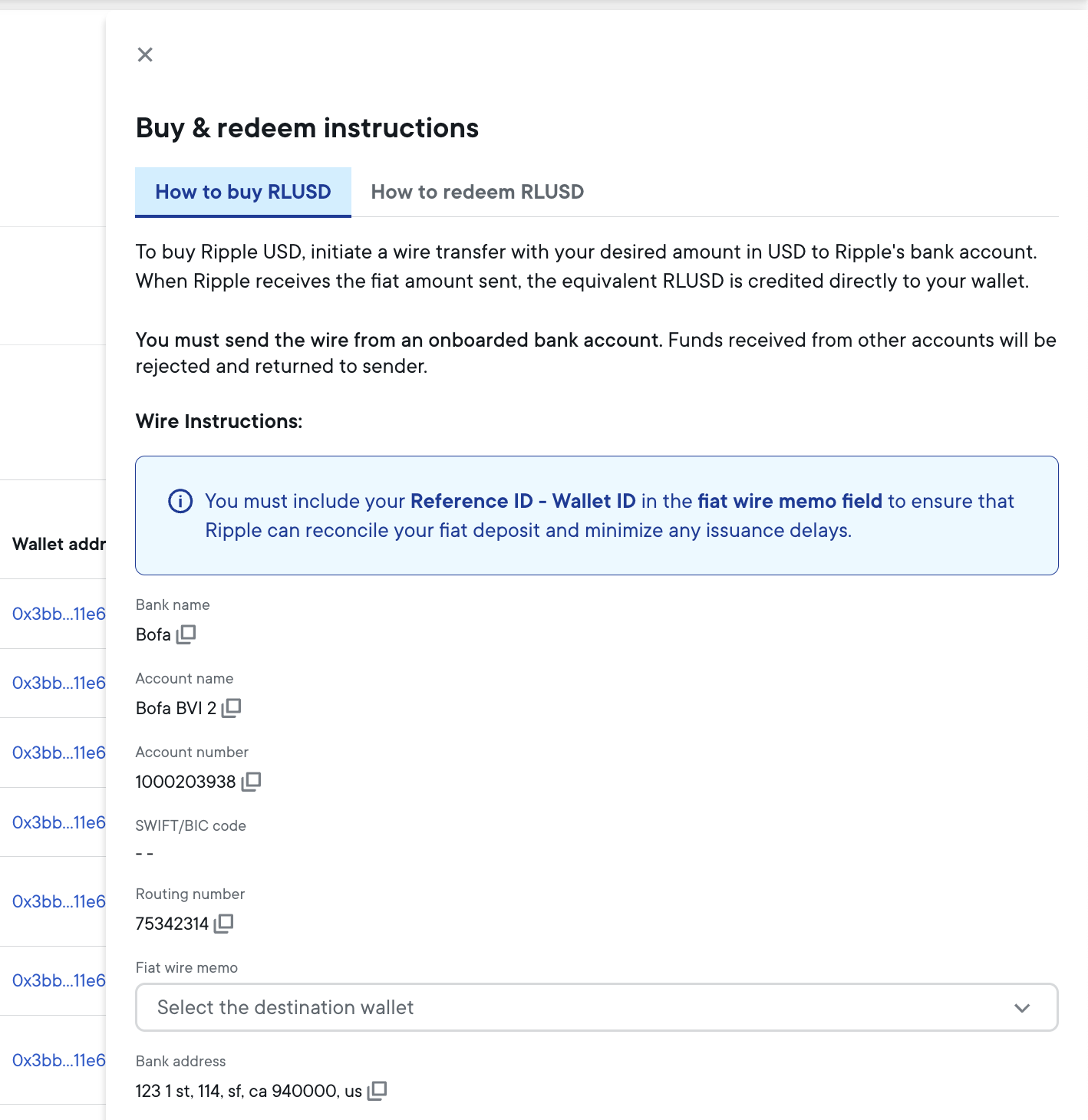
This page describes how you can buy Ripple USD (RLUSD) stablecoin from Ripple.
This process involves the minting (issuance) of Ripple USD equivalent to the amount of USD currency you are transferring from your onboarded bank account. For an overview of the minting (issuance) process, see RLUSD issuance.
To buy Ripple USD on the XRP Ledger network, make sure that your wallet has established a Trust line with Ripple's issuer account first.
To successfully buy Ripple USD stablecoin, you need to be aware of the following:
You must transfer the required fiat USD money from one of your onboarded bank accounts to Ripple's bank account. Upon receipt of the fiat money, Ripple credits your nominated stablecoin wallet with the equivalent amount in Ripple USD.
You should only send fiat money from one of the bank accounts you supplied to Ripple during onboarding or in the Bank Accounts settings page. Funds received from any other account will be rejected and returned to the sender.
For information on managing the bank accounts that you can use to buy Ripple USD stablecoin, see Bank accounts.
To display instructions for purchasing Ripple USD:
- Go to the Stablecoin dashboard.
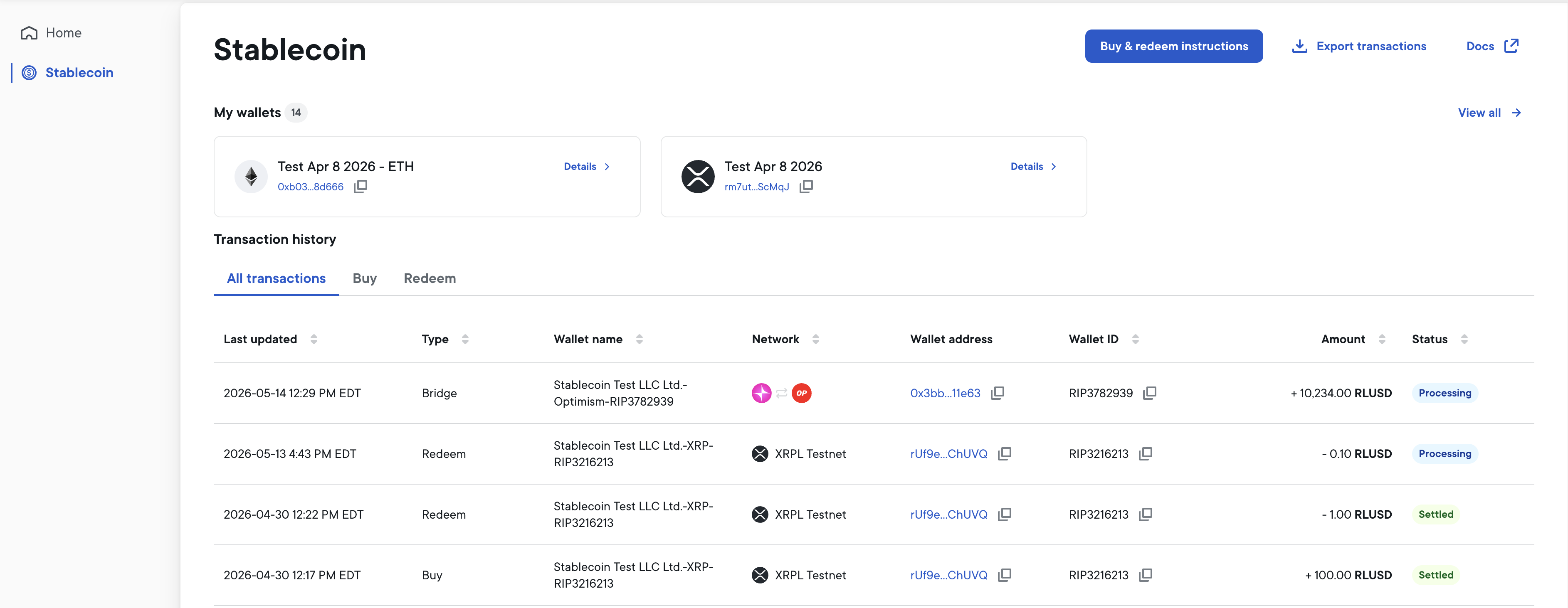
- At the top right of the Stablecoin dashboard, select Buy & redeem instructions.
- Select the How to buy RLUSD tab.
- Follow the instructions displayed to buy Ripple USD.