This page explains what happens to transfers that a Travel Rule policy rule covers, and what your compliance team does in Notabene.
Policy checks. The transfer passes its limit checks and any step-up approvals.
Travel Rule message. Ripple Custody (Wallet) creates a Travel Rule message in Notabene with the originator and beneficiary information. If Notabene decides that the Travel Rule doesn't apply, the transfer continues immediately. For example, the amount might be less than the threshold for your jurisdiction.
Approval in Notabene. Your compliance team reviews and sends the message from the Notabene dashboard. Ripple Custody (Wallet) doesn't send outbound messages automatically.
Hold. The transaction stays in
POLICY_CHECK_PENDINGuntil the message reaches the rule's release level. In the console, the transaction shows status Pending, with Policy checks pending in the timeline.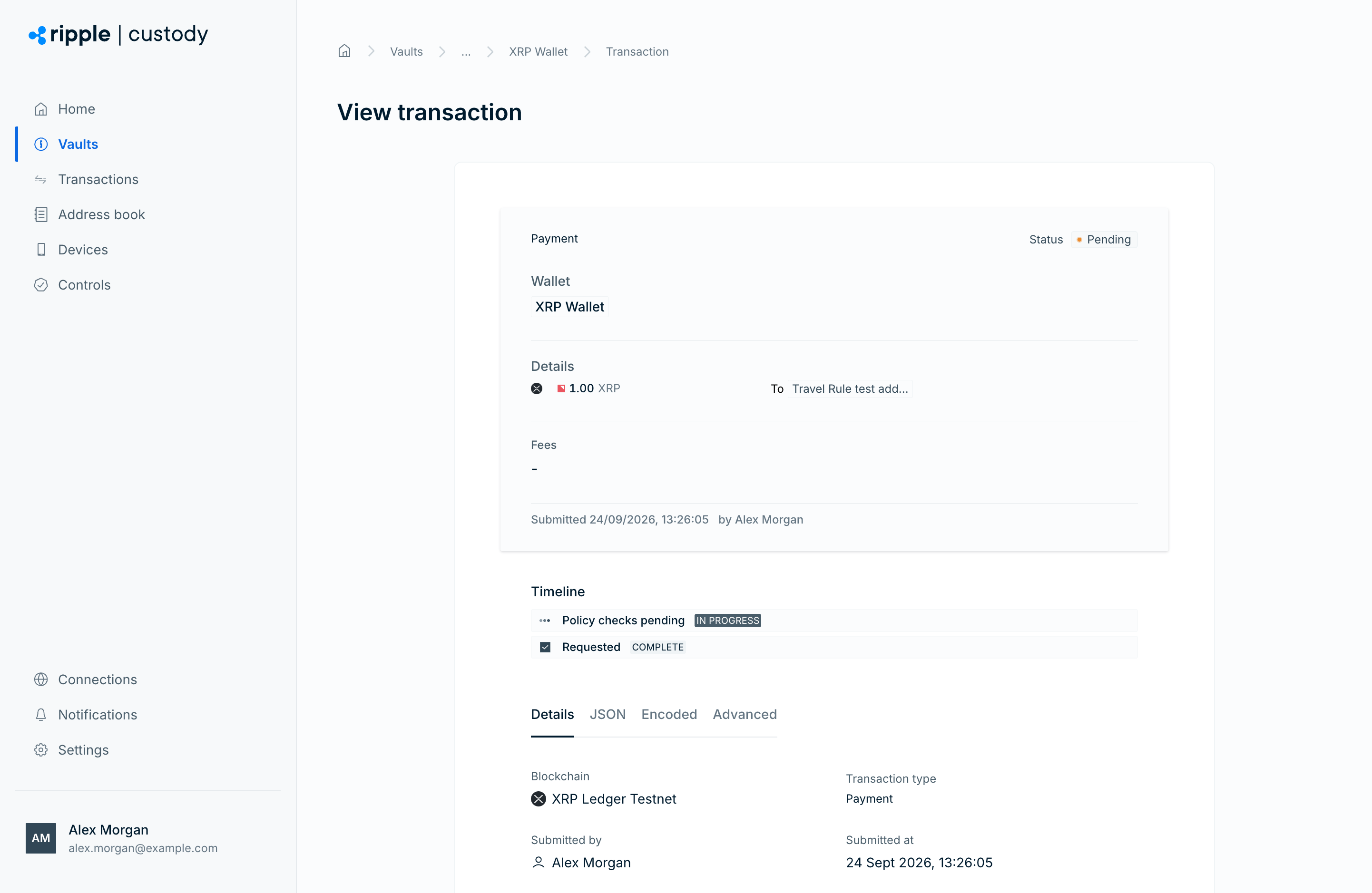
Release or rejection. At the release level, the transaction moves to
POLICY_CHECK_PASSEDand continues to signing. After signing, Ripple Custody (Wallet) sends the transaction hash to Notabene. If the exchange fails, the transaction moves toREJECTED.
If the message doesn't reach the release level in 24 hours, Ripple Custody (Wallet) cancels it in Notabene and rejects the transfer with TRAVEL_RULE_TIMEOUT. Make sure your compliance team sends messages from the Notabene dashboard well before the timeout.
The counterparty can reject the message after Ripple Custody (Wallet) releases the transfer, for example when the release level is Message sent. In that case, Ripple Custody (Wallet) doesn't reverse the on-chain transfer. Follow up with the counterparty in Notabene.
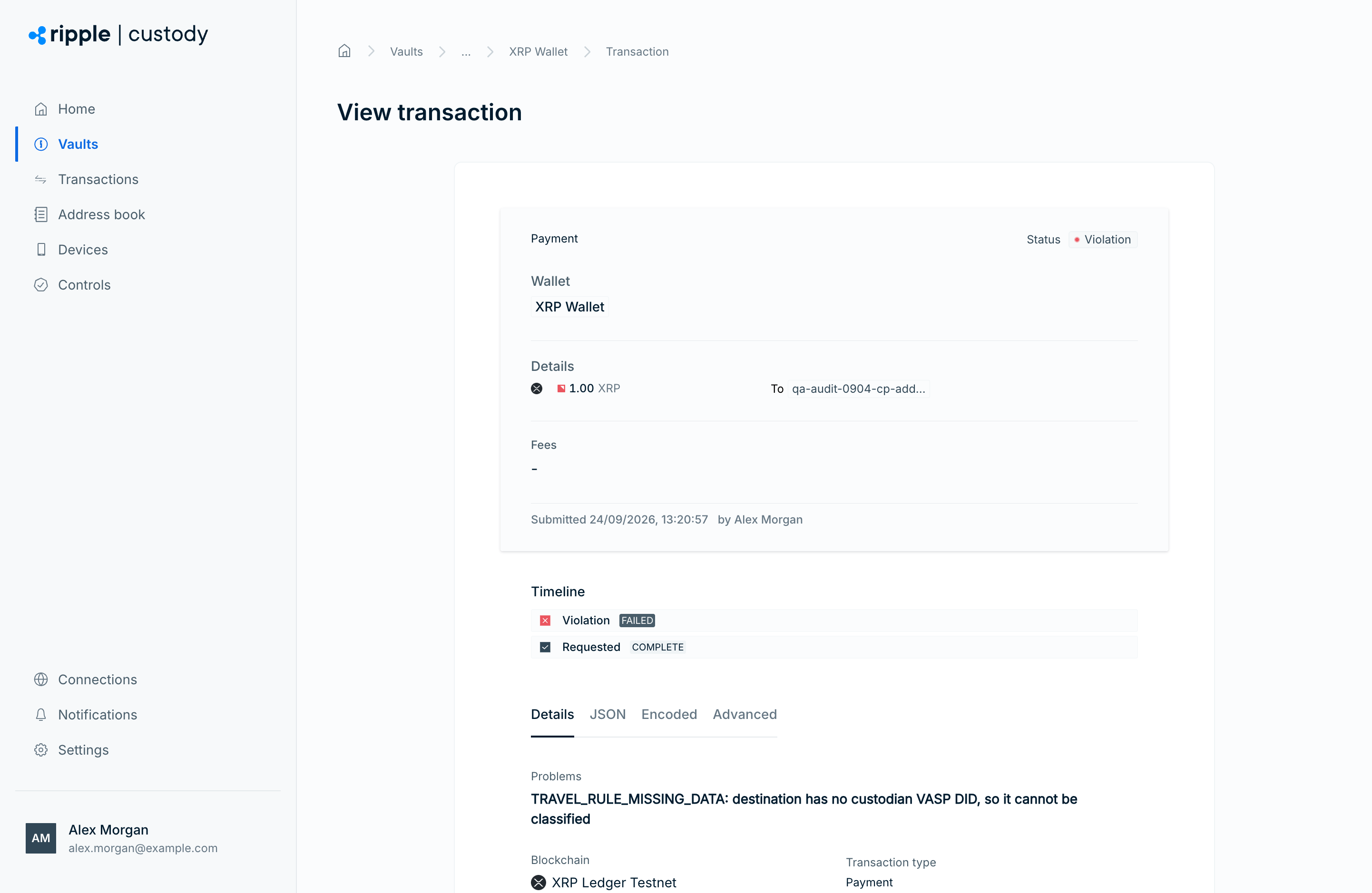
A rejected transfer's reason text starts with a Travel Rule reason code, followed by a detail message. In the console, the transaction shows status Violation, and the Problems section shows the reason. In the API, the reason is in the transaction's reasons array.
| Reason code | Cause | What to do |
|---|---|---|
TRAVEL_RULE_NOT_CONFIGURED | Your organization has no working Notabene connection. | Connect Notabene and submit a new transaction. |
TRAVEL_RULE_MISSING_DATA | The destination isn't a saved address, has no custodian details, or belongs to an individual counterparty. | Prepare the address and submit a new transaction. |
TRAVEL_RULE_REJECTED_BY_COUNTERPARTY | The beneficiary VASP rejected the transfer. | Check the reason in Notabene with the counterparty. |
TRAVEL_RULE_ADDRESS_NOT_RECOGNISED | The beneficiary VASP declined the transfer, for example because it doesn't recognize the destination address. | Confirm the destination and custodian with the counterparty. |
TRAVEL_RULE_CANCELLED | Someone canceled the message in Notabene. | If you still want to send the funds, submit a new transaction. |
TRAVEL_RULE_TIMEOUT | The message didn't reach the release level in 24 hours. | Check the message in Notabene and submit a new transaction. |
You can't retry a rejected transaction. Fix the cause and submit a new transaction.
When a counterparty VASP sends a Travel Rule message to your VASP DID, Ripple Custody (Wallet) answers it automatically. You don't need an inbound rule for this.
- The address is one of your wallets: Ripple Custody (Wallet) confirms the address to the originator. Your compliance team then accepts or declines the message in the Notabene dashboard.
- The address isn't one of your wallets: Ripple Custody (Wallet) rejects the message with
TRAVEL_RULE_BENEFICIARY_ADDRESS_NOT_OURS.
Ripple Custody (Wallet) never accepts an inbound message for you.
If a wallet has an inbound Travel Rule rule, Ripple Custody (Wallet) checks every deposit the rule covers with Notabene:
| Result | What happens |
|---|---|
| Your compliance team accepted the matching message | Ripple Custody (Wallet) credits the deposit normally. |
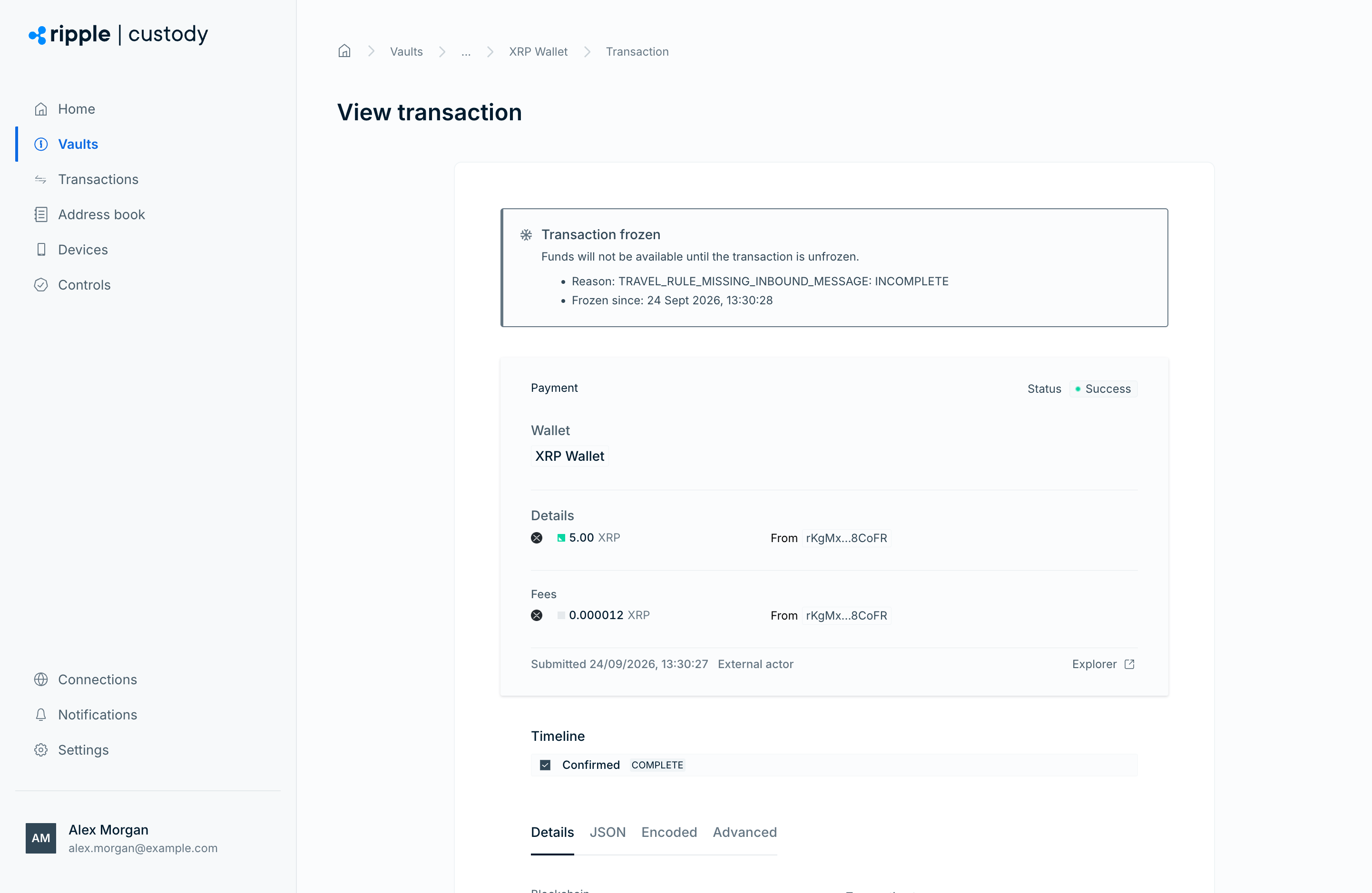
| No matching message exists | Ripple Custody (Wallet) freezes the deposit with reason TRAVEL_RULE_MISSING_INBOUND_MESSAGE. |
| A message exists, but your compliance team hasn't accepted it yet | Ripple Custody (Wallet) freezes the deposit with reason TRAVEL_RULE_INBOUND_NOT_ACCEPTED. |
| Ripple Custody (Wallet) couldn't check the deposit | Ripple Custody (Wallet) freezes the deposit with reason TRAVEL_RULE_MISSING_DATA or TRAVEL_RULE_NOT_CONFIGURED. |
Travel Rule freezes use freeze type FREEZE_TYPE_TRAVEL_RULE. The freeze reason also includes the Notabene status, for example TRAVEL_RULE_MISSING_INBOUND_MESSAGE: INCOMPLETE. In the console, the transaction shows a Transaction frozen banner with the reason and the time of the freeze.
- Automatic release. When your compliance team later accepts the matching message in Notabene, Ripple Custody (Wallet) releases the deposit automatically. If the deposit is still frozen after your team accepts the message, unfreeze it manually.
- Manual release. Owners, administrators, and auditors can also unfreeze the deposit themselves. See Unfreeze a transaction.
- Manual freezes stay. If a user froze the deposit manually, an automatic Travel Rule release doesn't lift that freeze.
Inbound rule matchers apply to the sender. For example, an inbound rule with a COUNTERPARTY_ID matcher checks only deposits from that counterparty.