You can send MPTs to other authorized holders using either a transaction order or a transfer order.
| Prerequisite | Additional information |
|---|---|
| An XRPL account with MPT balance | Check balances |
| The destination address (must be authorized for the MPT) | Provided by the recipient |
The MPT must have lsfMPTCanTransfer flag set | Token flags |
| Approach | When to use |
|---|---|
| Transfer order | Standard approach when you have a validated ticker for the MPT |
| Transaction order | When you need full control over ledger-specific parameters |
To send an MPT with a transaction order:
Go to Accounts and open the sending account.
Click Create order and select Ledger-specific operations.
In Ledger, select the XRP Ledger network.
In Operation, select Transfer token.
In Destination, select the receiving account. Optionally, click Add destination tag.
Select the token and the amount:
- Listed asset — If the MPT's ticker is allowlisted, select the token and enter the amount. This is quicker than entering the issuance ID.
- Unlisted asset — If the MPT's ticker isn't allowlisted, in Type, select Multi-purpose token (MPT). Then enter the Token issuance ID and the Amount in base units. For example, with an asset scale of 2, enter
100000to send 1,000.00 tokens.
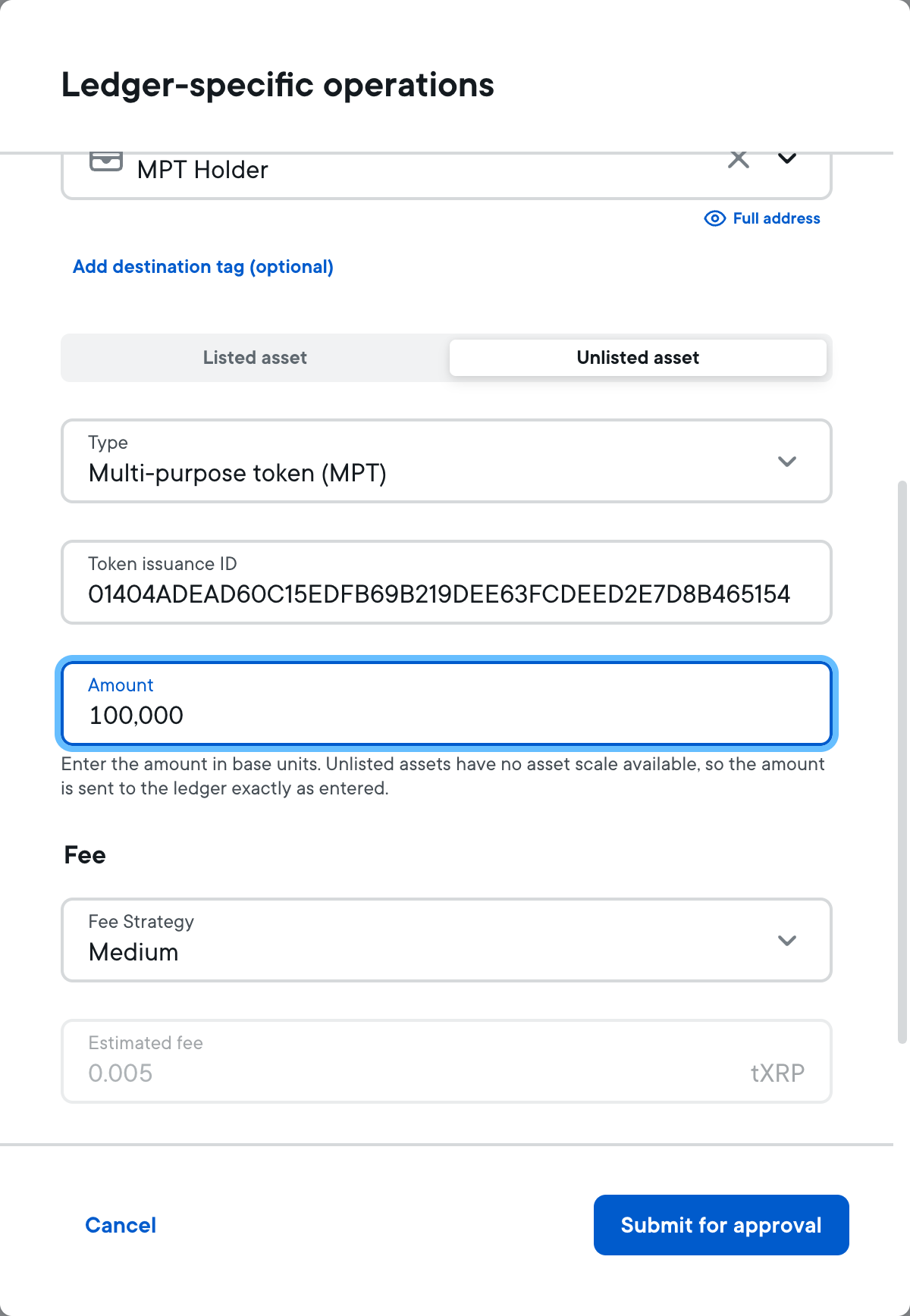
Select a Fee Strategy, then click Submit for approval and sign the operation with the app. The signing window shows the operation as Payment with the type Multi-purpose token, the source and destination accounts, and the amount.
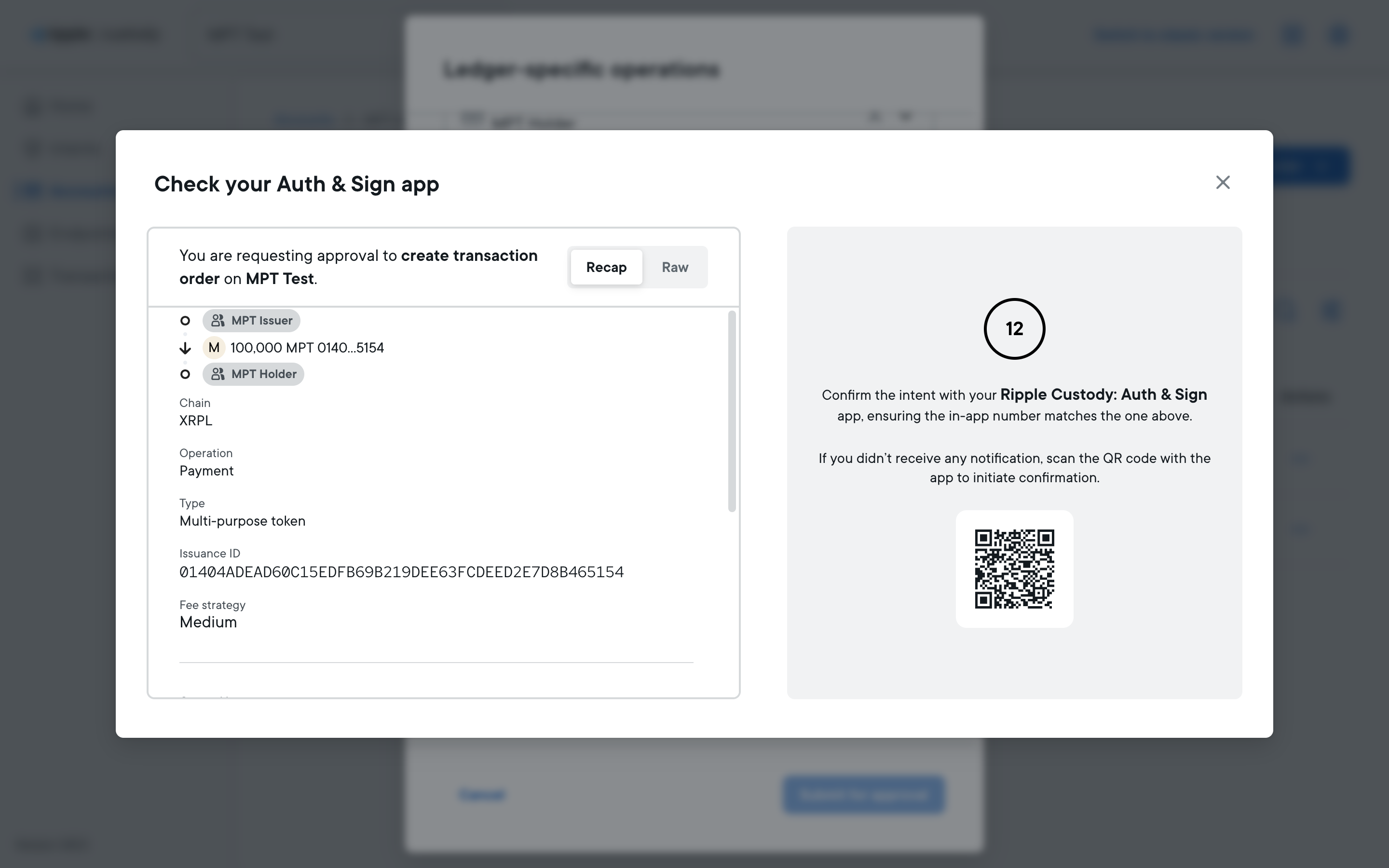
The issuer uses the same operation to issue tokens to a holder. When the receiving account is in Ripple Custody, the tokens arrive in quarantine. For more information, see Receive MPTs.
Use the v0_CreateTransferOrder intent with the MPT ticker ID:
{
  "payload": {
    "id": "{{intent_id}}",
    "accountId": "42e44ded-a268-4426-a0fe-7287b5d52a01",
    "tickerId": "c688abc8-e179-47c2-be37-ade6a73ee074",
    "outputs": [
      {
        "destination": {
          "address": "rE9jefR6roc2aB84LnVmjznw1j4FFyCtQe",
          "type": "Address"
        },
        "amount": "19000",
        "paysFee": null
      }
    ],
    "feeStrategy": "Medium",
    "maximumFee": null,
    "description": "MPT transfer",
    "customProperties": {},
    "type": "v0_CreateTransferOrder"
  }
}
For complete details on transfer orders, see Send assets.
Use the v0_CreateTransactionOrder intent with the MPT currency type:
{
  "payload": {
    "id": "{{intent_id}}",
    "ledgerId": "xrpl-testnet",
    "accountId": "42e44ded-a268-4426-a0fe-7287b5d52a01",
    "parameters": {
      "type": "XRPL",
      "feeStrategy": {
        "priority": "High",
        "type": "Priority"
      },
      "maximumFee": "1000000000000",
      "sourceTag": 100001,
      "memos": [],
      "operation": {
        "destination": {
          "address": "rE9jefR6roc2aB84LnVmjznw1j4FFyCtQe",
          "type": "Address"
        },
        "amount": "19000",
        "currency": {
          "issuanceId": "00C50FC691356D4BE196F42A0E75CB63E4311CBC154D8549",
          "type": "MultiPurposeToken"
        },
        "type": "Payment"
      }
    },
    "description": null,
    "customProperties": {},
    "type": "v0_CreateTransactionOrder"
  }
}| Field | Type | Description |
|---|---|---|
type | string | Must be MultiPurposeToken. |
issuanceId | string | The 192-bit MPT Issuance ID (hex encoded). |