
Users with specific roles can release quarantined transfers without automated compliance verification. The defined policy workflow may trigger a manual review.
To add a policy exception for the release of quarantined transfers in your Elliptic or Chainalysis integration, complete these steps:
In the left navigation, select Integrations and on the tile for your compliance solution provider, select Configure.
In the Integration window, next to Add exception for release of quarantined transfers, select Start.
The Add exception for release of quarantined transfers window opens.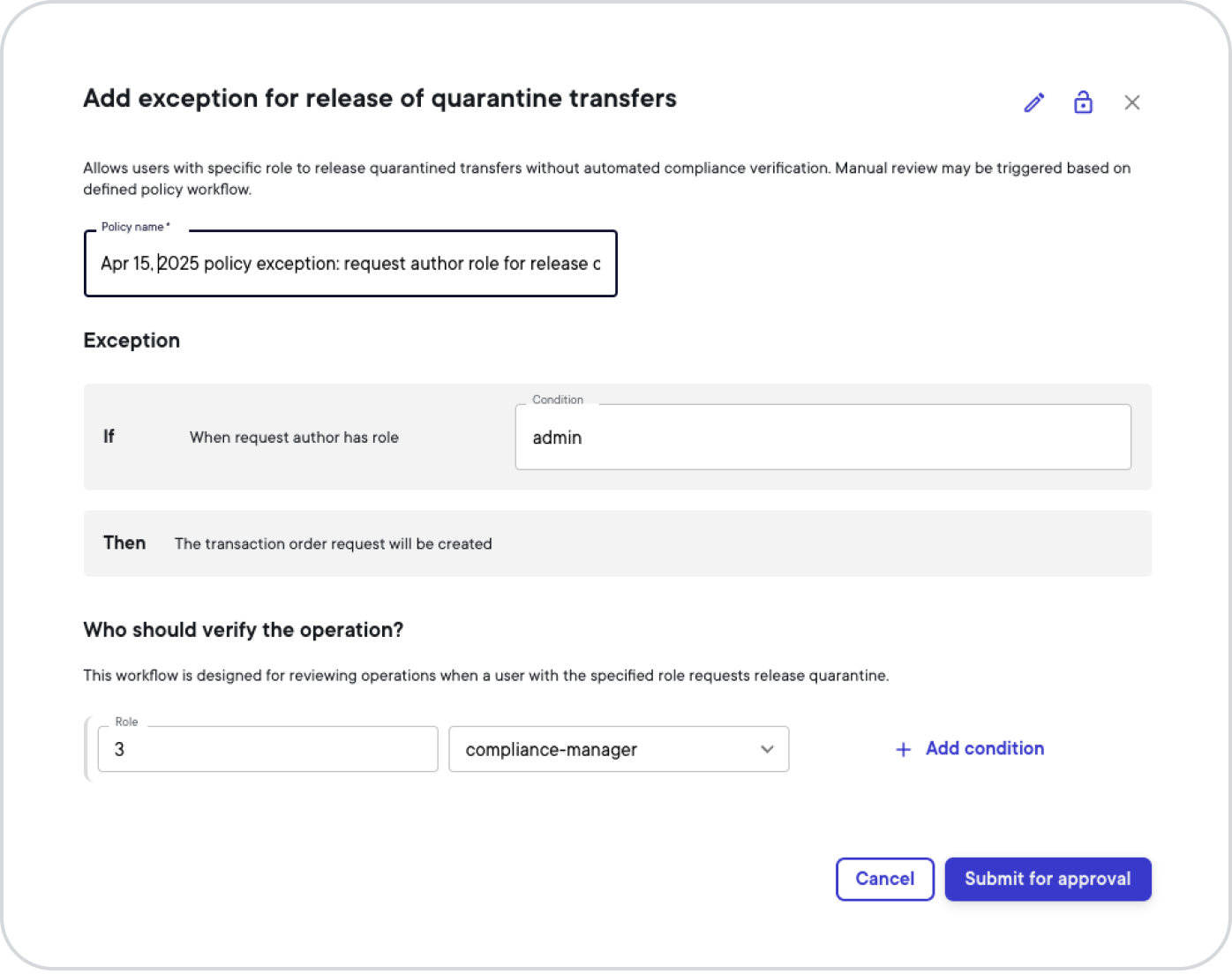
In the Policy name field, change the name to a unique name of your choosing.
In the Condition field, type a role name, for example admin, to specify which role may release quarantined transfers without automated compliance verification.
In the Role field, select the number of users with the compliance-manager role (or admin role) that must review operations when a user with the specified role requests release quarantine — for example 3 and compliance-manager.
Optional: If you wish to set up additional conditions that must be met for the review workflow, select + Add condition and repeat step 5.
When you're done adding all conditions, select Submit for approval.
On your security device or the desktop app, sign the operation. For more information, see Sign intents.