The Assets Management screen displays all tokens organized by classification state. Use this screen to review, search, and manage tokens in your Ripple Custody environment.
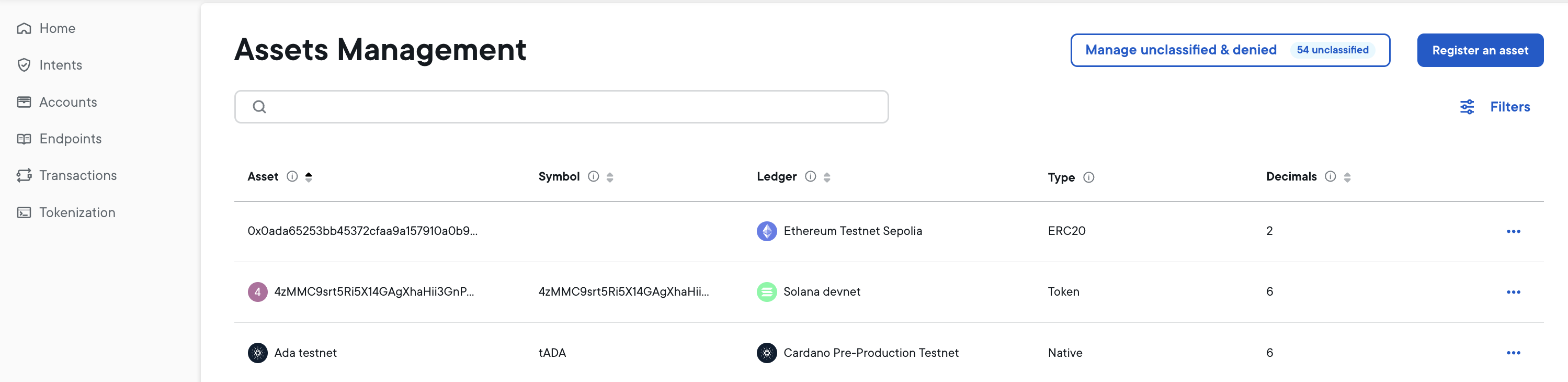
The Assets Management screen shows all allowlisted tokens in your Ripple Custody environment. From this screen you navigate to a separate screen to see unclassified and denylisted tokens.
| Tab | Description | Badge |
|---|---|---|
| Allowlisted | Tokens approved for use | Number of approved tokens |
| Unclassified | Tokens pending review | Number of tokens awaiting classification |
| Denylisted | Tokens blocked from use | Number of blocked tokens |
- In the left navigation, click Settings.
- Click Assets Management.
Click the Manage unclassified or denylisted button to view tokens in those states. From there you can select from the following tabs:
- Unclassified — Shows tokens that have been auto-discovered but not yet reviewed
- Denylisted — Shows tokens that have been blocked from visibility
The Denylisted tab displays a warning banner: "The assets listed below have been flagged as potentially malicious, phishing attempts, or security risks." Review these tokens carefully before restoring them.
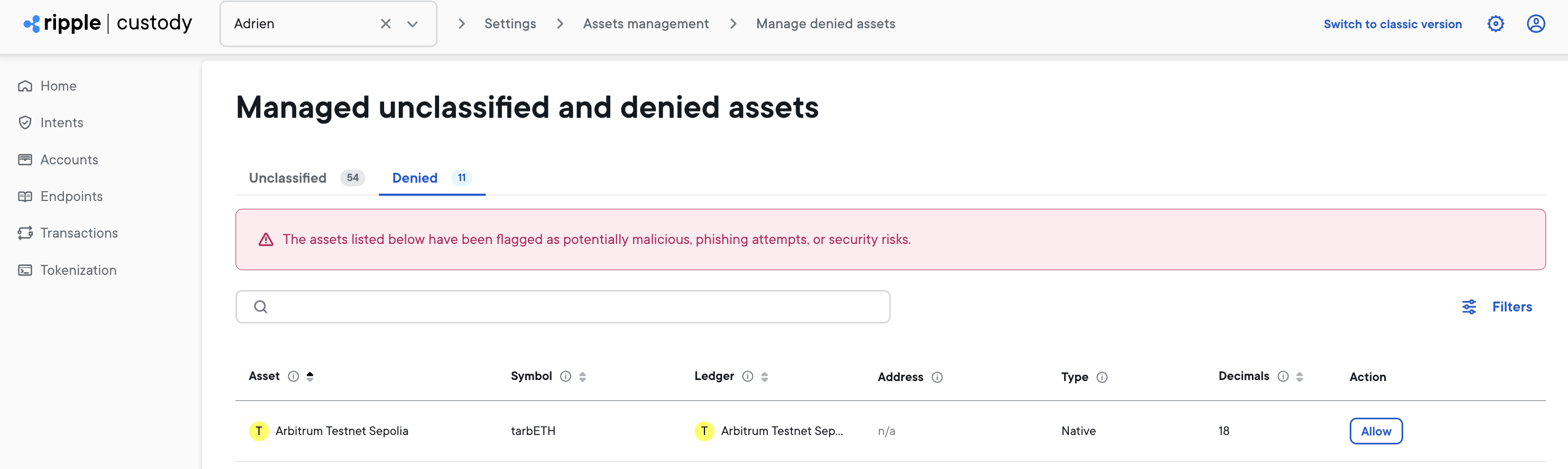
You can search for tokens by name or symbol, and filter by ledger.
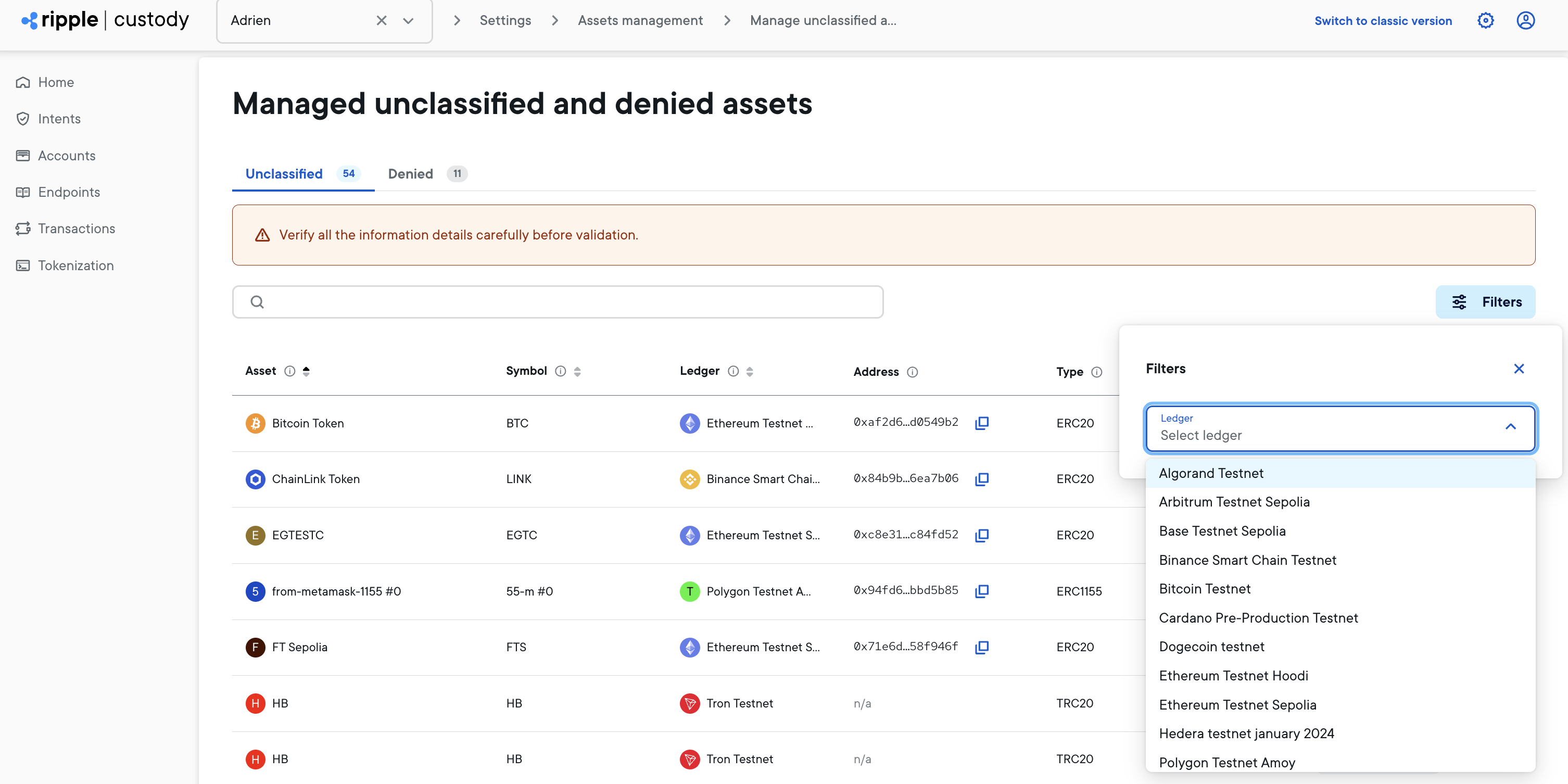
Each token row displays the following information:
| Column | Description |
|---|---|
| Asset | The token's display name (e.g., "USD Coin") |
| Symbol | The token's ticker symbol (e.g., "USDC") |
| Ledger | The blockchain where the token exists (e.g., "Ethereum Mainnet") |
| Address | The token's smart contract address (for contract tokens only) |
| Type | Either "Native" for blockchain currencies or "Contract" for smart contract tokens |
| Decimals | The number of decimal places the token supports |
| Actions (⋮) | From here you can Deny or Allow a token |
The Token Management screen displays tokens across all supported ledgers, including:
- EVM ledgers — Ethereum, Arbitrum, Binance Smart Chain, Polygon, and testnets
- Non-EVM ledgers — Solana, Algorand, Cardano, Stellar, XRP Ledger
For a complete list, see Supported ledgers.