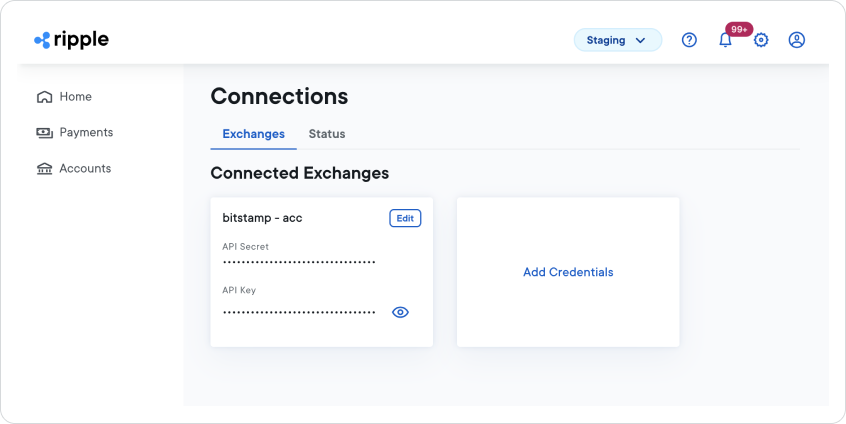
The Exchange Credentials settings page lists the Digital Asset Exchanges (DAXs) to which your institution is currently connected, along with additional DAXs that are available to connect.
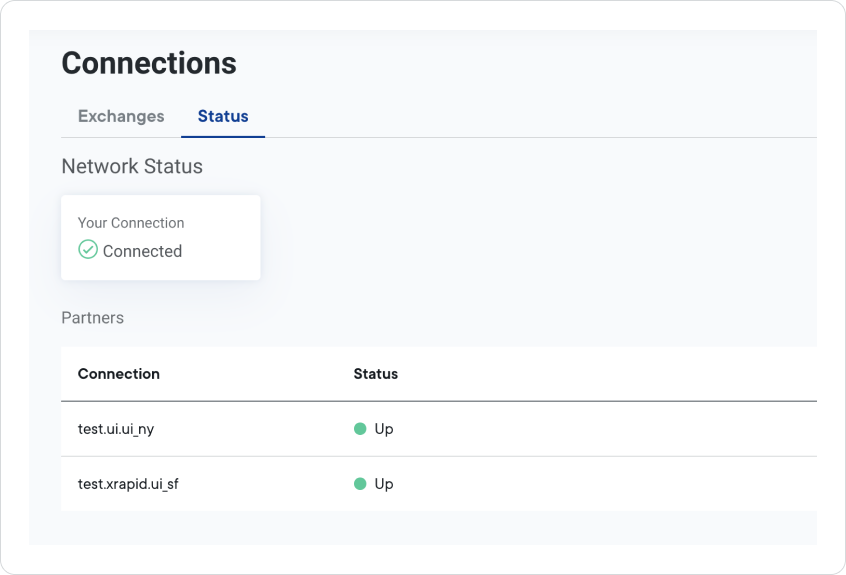
The Status tab will display the status of your connection to RippleNet, along with the network status of each connected partner.
To view the details of an available exchange, click the Details button in the associated card for the exchange.

This displays the Exchange details page.
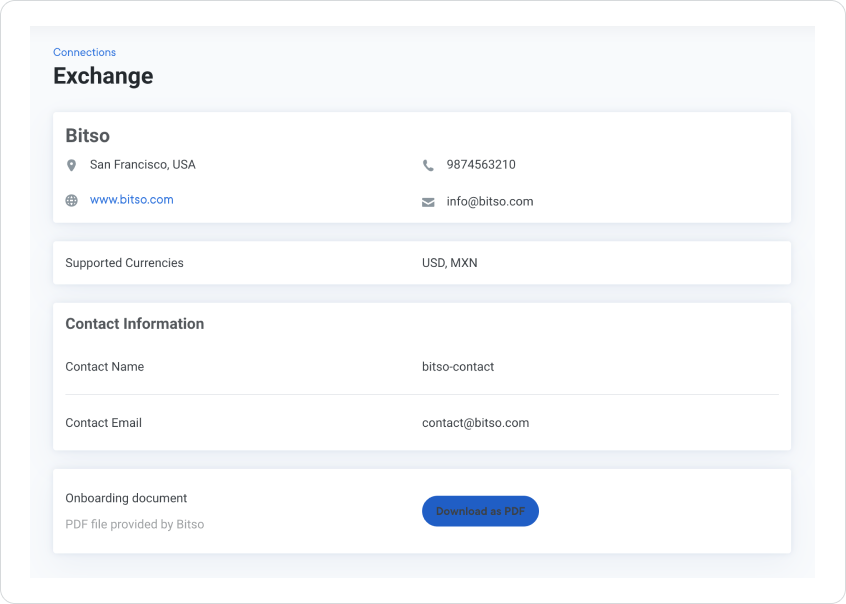
The Exchange details page provides:
- General information about the exchange: location, URL, telephone number, and email address
- List of supported currencies
- Contact information
- Button to download the exchange onboarding process document
To add exchange credentials to your RippleNet account, click the Add Credentials card on the Connections page.

This displays the Add Exchange Credentials page.
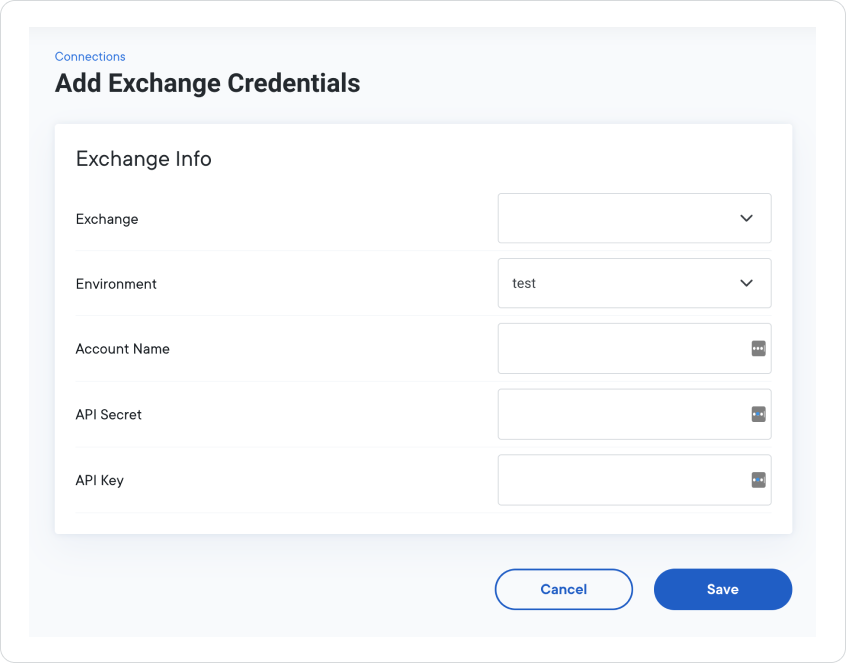
The Add Exchange Credentials form contains a number of required fields to connect the exchange with your RippleNet account:
| Field | Description |
|---|---|
| Exchange | The name of the Digital Asset Exchange you are connecting with. |
| Environment | The RippleNet environment associated with the exchange. |
| Account Name | The name of your account with the exchange. Note: Your account name should be the same as your Customer ID at the exchange. |
| API Secret | The API secret is used for authentication and represents your exchange account password. |
| API Key | The API key represents your exchange account user ID for authenticating API calls. |
To edit exchange credentials, click the Edit button on a connected exchange card.

This displays the Edit Exchange Credentials page.
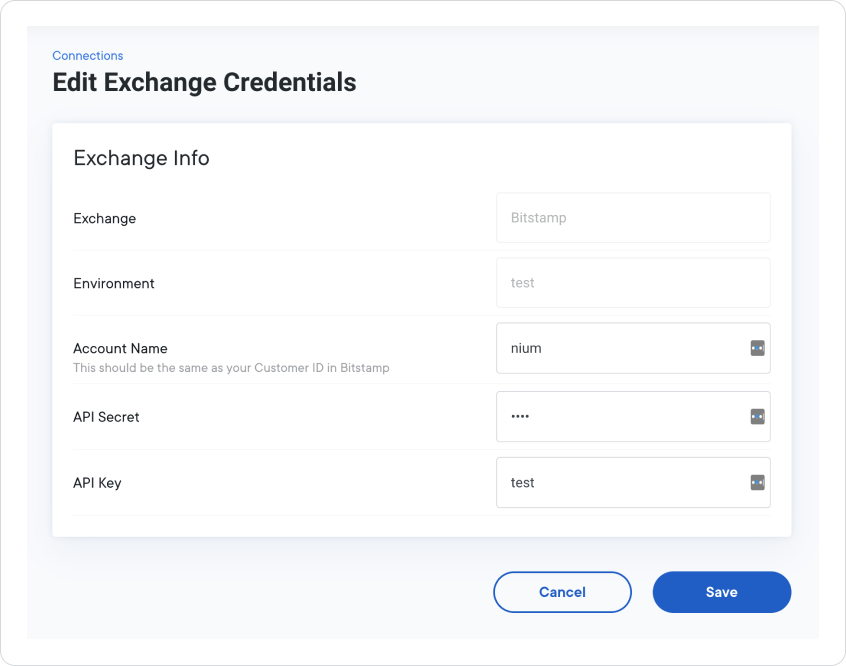
The fields on the Edit Exchange Credentials form are identical to Add Exchange Credentials form.
| Field | Description |
|---|---|
| Exchange | The name of the Digital Asset Exchange you are connecting with. |
| Environment | The RippleNet environment associated with the exchange. |
| Account Name | The name of your account with the exchange. Note: Your account name should be the same as your Customer ID at the exchange. |
| API Secret | The API secret is used for authentication and represents your exchange account password. |
| API Key | The API key represents your exchange account user ID for authenticating API calls. |