The originator management feature allows you to add or delete payment originators using the Payments Direct UI.
This topic describes how you can manage originator identities. For more information on how to manage beneficiary identities, see Beneficiaries.
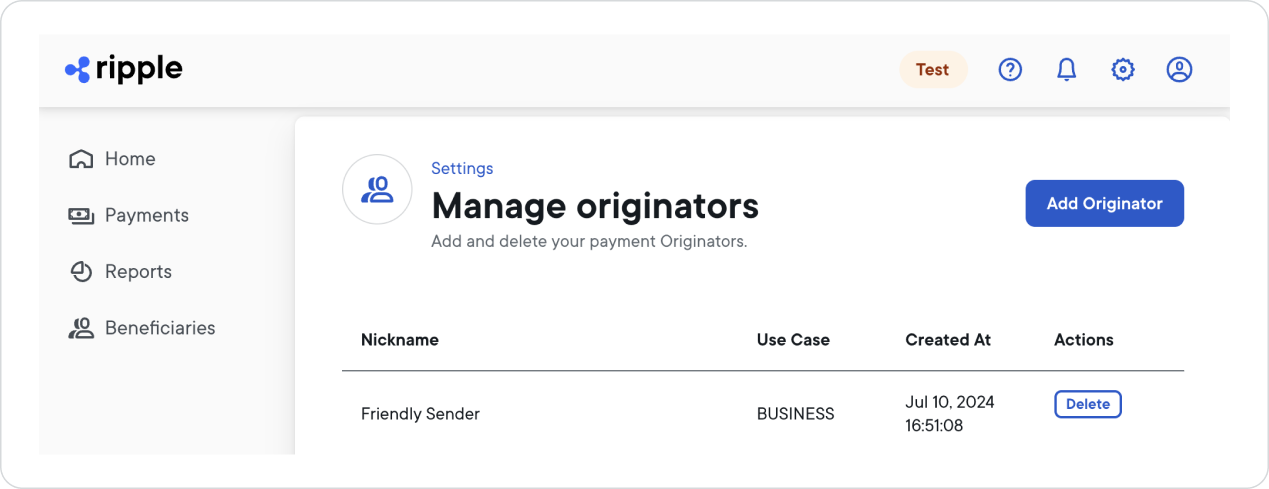
To add an originator identity:
In the Payments Direct UI, select Settings > Manage Originators > Add Originator.
Select the originator identity type: Business or Person.
From the Destination Country dropdown list, select the country where your payment beneficiary will receive the payment.
For a list of supported countries and currencies, see Payout network.Select Next.
Fill in all fields related to identity details and then select Next.
Note:- Provide the information of the business or individual on whose behalf you're making the transaction.
- Make sure that the information you provide is accurate.
Fill in all fields related to other information.
Select Finish.
This creates the new originator identity.To confirm that the new originator identity is available for selection when you create a new payment, view the list of identities by selecting Settings > Manage Originators.
If this originator will send USD payments to China, set that destination up while you create the identity. The Originator Account Number field then appears, and it is required.
That field is shown only for that destination. Leave it empty and a payment from this originator to China in USD is rejected at the Review step with Required Field Missing and error code USR_090. No funds are moved, so there is nothing to reverse.
You can also add it afterwards. Open the originator from Settings > Manage Originators, add the destination to its payout methods, and the Originator Account Number field appears for you to complete.
To delete an originator identity:
- Select Settings > Manage Originators.
- Locate the originator identity you want to delete and next to its entry, select Delete.
- In the Delete Originator window, confirm that you want to delete the originator identity by selecting Confirm.
This deletes the originator identity from your identities list and it will no longer be available for selection when you create a new payment.