The Ripple Custody governance framework consists of the following elements:
- Division of the environment into logical partitions, known as domains.
- A state machine controlling the flow of data through the domains.
You can use this framework as a basis for your own governance model, defined according to your business requirements.
For more information, see Design your governance model.
The key concepts of the governance framework are:
- Domains
- Intents
- Policies
Domains are logical containers that segregate environment data and governance roles.
Domains have the following functions in Ripple Custody:
- Logical environment mapping: Division of your business into its constituent parts, such as business units and subsidiaries. How you map these is completely configurable in your environment.
- Hierarchical multi-tenancy: In an environment with multiple domains, there is a root domain at the top of the hierarchy, with subdomains beneath it. This hierarchy enforces segregation of data entities (such as users and blockchain accounts) into separate domains, while also allowing a flexible approach to governance of that data through the different levels of the hierarchy.
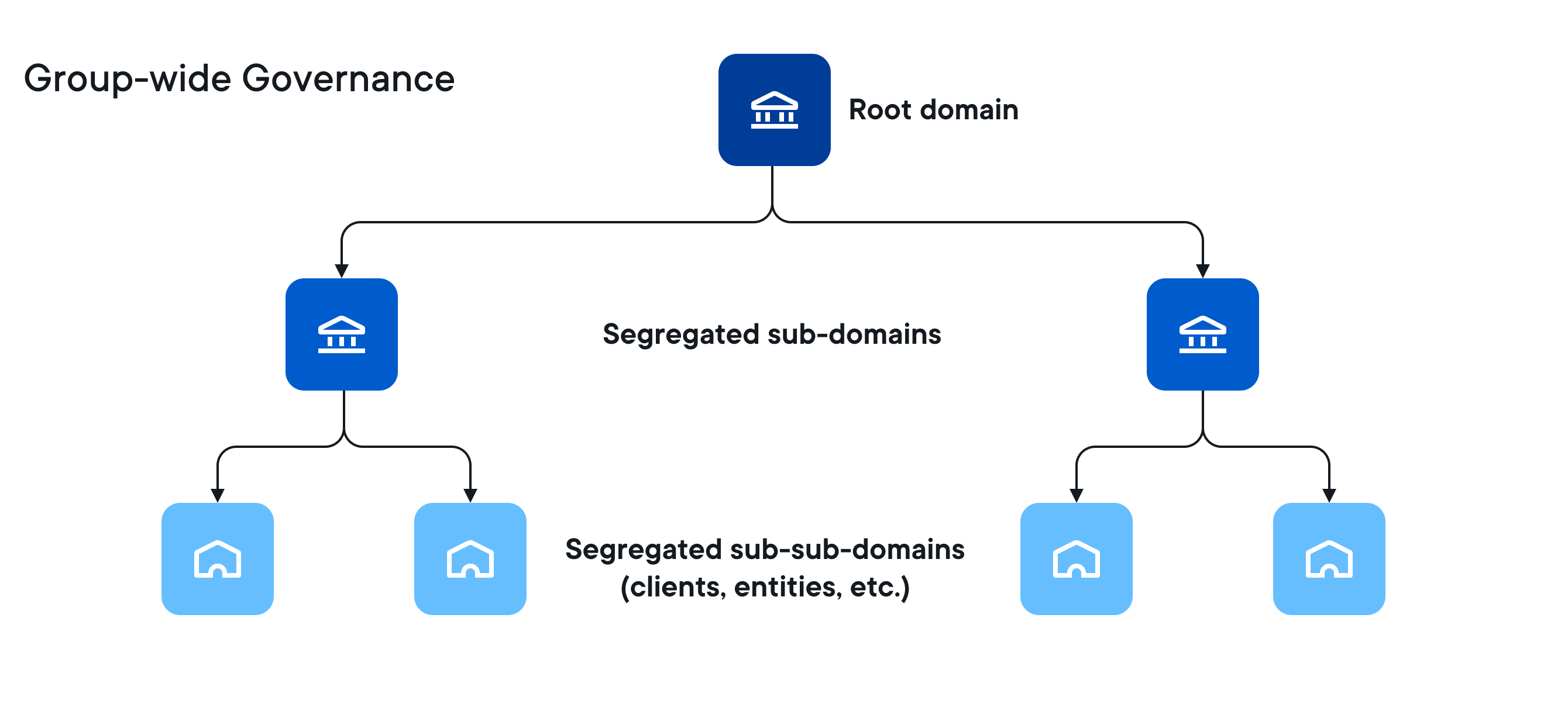
Every Ripple Custody environment must include at least a root domain. The domain architecture is designed to be scaled as requirements change and grow.
After initial system setup, to make changes to Ripple Custody data, users need to submit a request in the form of an intent. This applies to all types of data changes, such as creation of new users or accounts, accounting transactions, and other system changes.
Governance of intents is managed through the policy workflows applicable to the domain or domains the workflows operate in.
Policies represent sets of conditions organized as one or more steps in a workflow. An intent must meet all of the conditions in the workflow before Ripple Custody applies the change to the environment. Policy workflows include approvals by users, as well as other conditions.
Using policies, we can:
- Define who can initiate a specific action, and who can approve or reject it.
- Use a role-based model for granting user entitlements.
- Use conditions to distinguish actions based on risk levels.
- Use a defined workflow for specific actions, based on conditions.
In a hierarchical domain structure, depending on the configuration, a policy can apply at one or multiple levels of the domain hierarchy. This means users can potentially execute intents within their own domain, but also within the domain's subdomains (but never within a parent domain).
All intents go through the following workflow:
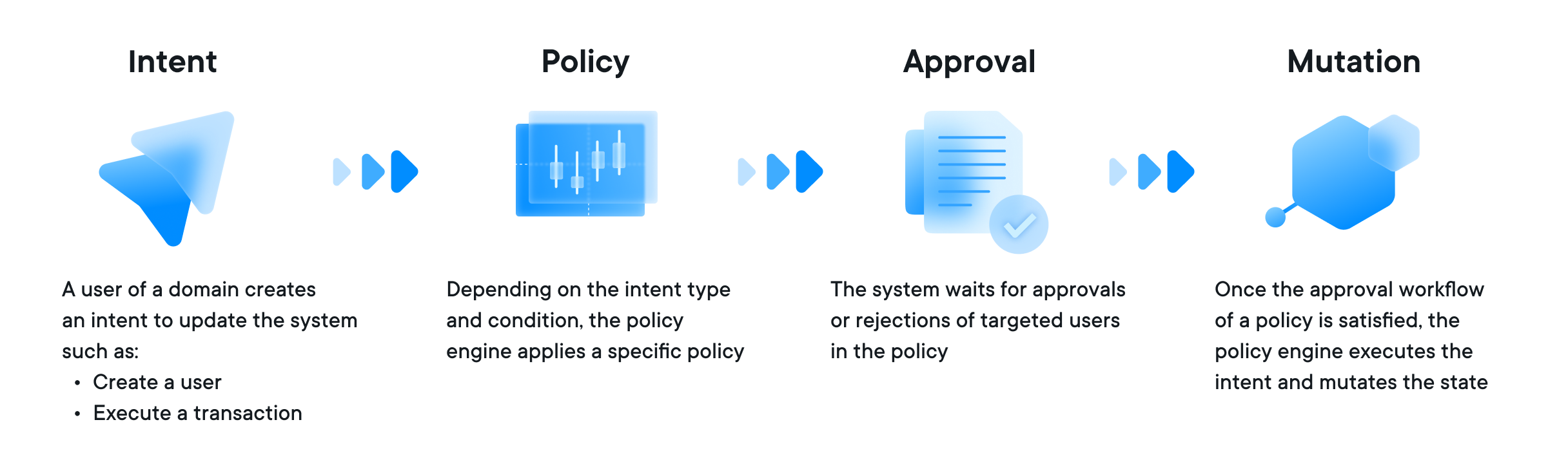
The following characteristics are used to evaluate if a policy matches the current intent:
- Intent types: Types of intent to which the policy applies.
- Scope: Whether the policy applies only within the domain, only to the domain's subdomains, or to both.
- Condition: JavaScript expression that specifies conditions for applying the policy; can use all the properties of the Ripple Custody objects that are involved in the intent.
- Rank: If multiple policies match the intent, the policy with the highest rank is selected.
Only a maximum of one policy per domain can apply to an intent. The policy with the highest rank that corresponds with all other characteristics is applied: this means that the intent goes through the workflow defined for the policy. If no policy applies, the intent fails.
Depending on the environment configuration, the intent must satisfy the applicable policy of the domain in which the intent is submitted and the applicable policies of the respective ancestor domains, up to the root, before the intent be executed.
For more details, see Scope of a policy.